
Close Menu
EpicRPGTales

    Subscribe to Updates

    Get the latest creative news from FooBar about art, design and business.

    What's Hot

    Microsoft and Xbox Error Lands Gamers a Classic RPG for Free

    When Is the Next Major Steam Sale Coming?

    How to Beat Thomas Richards In Windrose

    Facebook X (Twitter) Instagram
    EpicRPGTales
    • Home
    • News
    • Features
    • Reviews
    EpicRPGTales
    You are at:Home»Guides»What Are Artifacts In Dragon Is Dead?
    Guides

    What Are Artifacts In Dragon Is Dead?

    Rishov MukherjeeBy Rishov MukherjeeJune 6, 2025Updated:June 6, 2025No Comments3 Mins Read
    Facebook Twitter Pinterest Reddit Copy Link
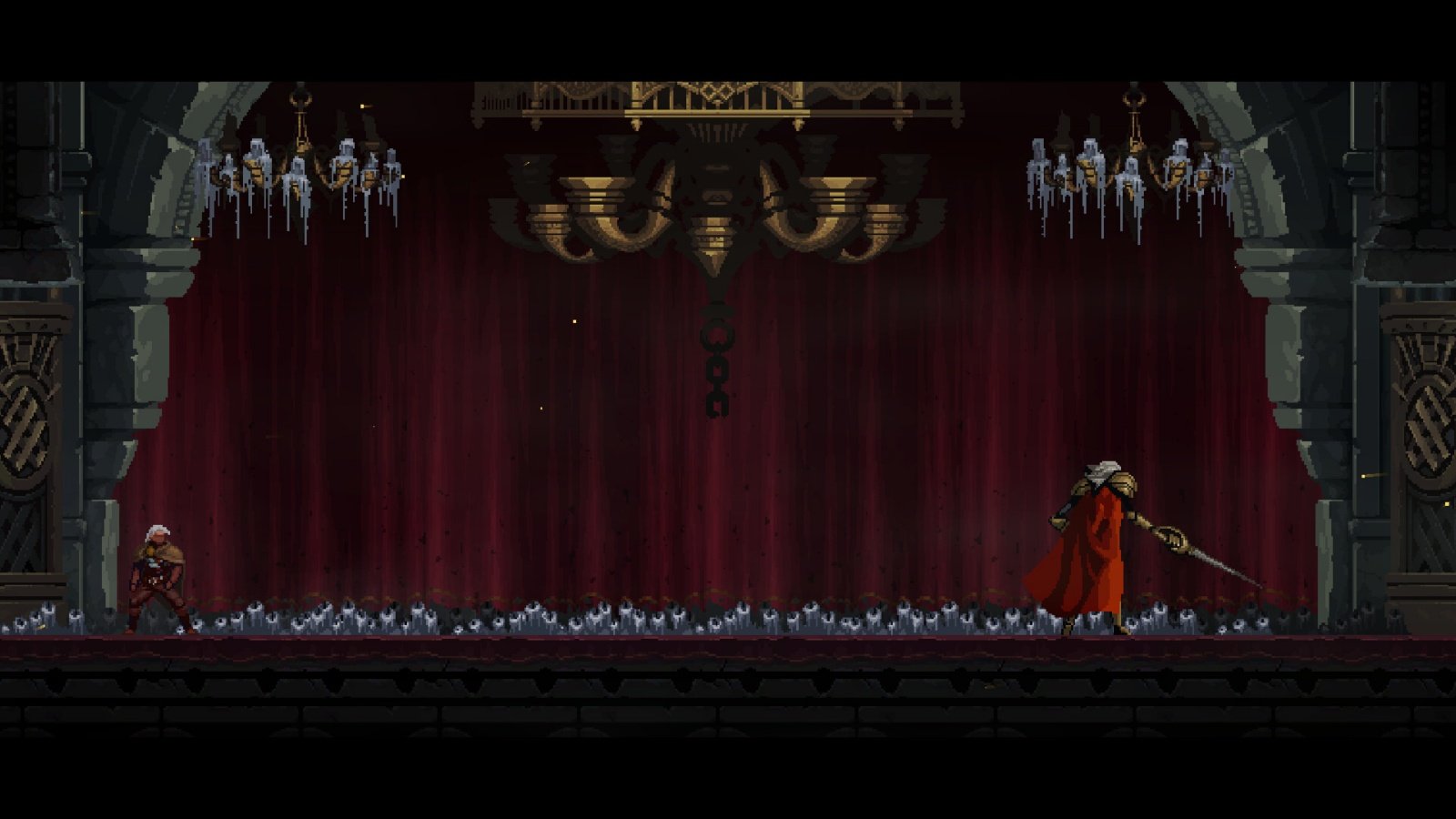
    A screenshot of a boss fight in Dragon Is Dead

    Dragon Is Dead, being an action roguelike RPG, you will have to fight through multiple enemies and powerful bosses with only one life in hand. As such, it is important to enhance your power level while progressing through the various levels.

    These include your gear, weapons, and most importantly, Artifacts. Here’s a full guide on Artifacts and how to use them in the game.

    Dragon Is Dead: What Are Artifacts?
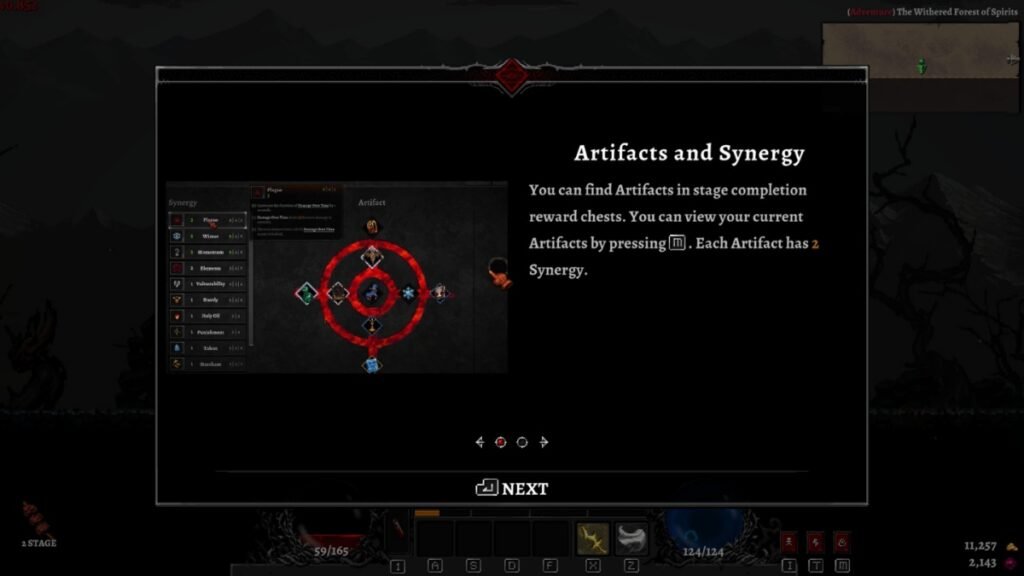
    A screenshot of Artifact description in Dragon Is Dead

    Artifacts are powerful items that grant you special buffs in Dragon Is Dead. Each Artifact comes with two buffs called Synergy, and you receive Abilities depending on the total number of Synergies you have.

    These Abilities are temporary, and you will lose them the moment you change your Artifact. As such, it is important you have a look at the buffs and decide how you want to play the game.

    The buffs from the Artifact can be viewed before picking them up. Additionally, it’s important you unlock skills based on what kind of Synergies you’re going for.
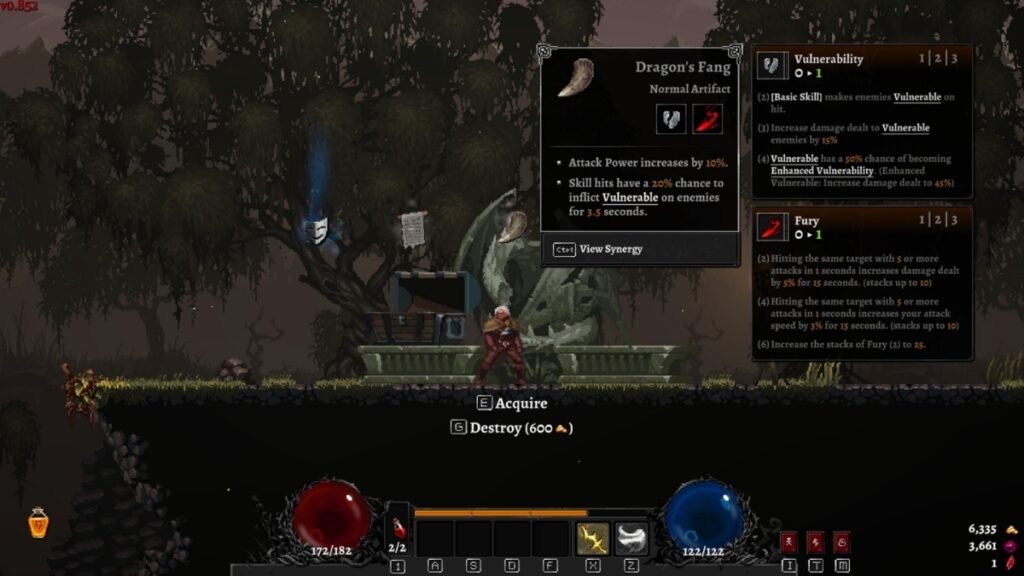
    A screenshot showcasing Artifact buffs in Dragon Is Dead

    For instance, you may receive an Artifact that increases your Attack Power and makes enemies Vulnerable. As you pick up more Artifacts with the same skills, you will gain the abilities Fury and Vulnerability, which will help shred through bosses like the Tree Spirit Longmore very quickly.

    As a final note, it’s important to mention that you shouldn’t be too worried if you don’t get the Artifacts of your choice. This is because the drops are random, but you have the choice of switching your abilities depending on what you need.

    It’s always better to adjust yourself depending on what Artifacts you get rather than relying on getting something particular and picking up a build with very little synergy.

    How To Get Artifacts
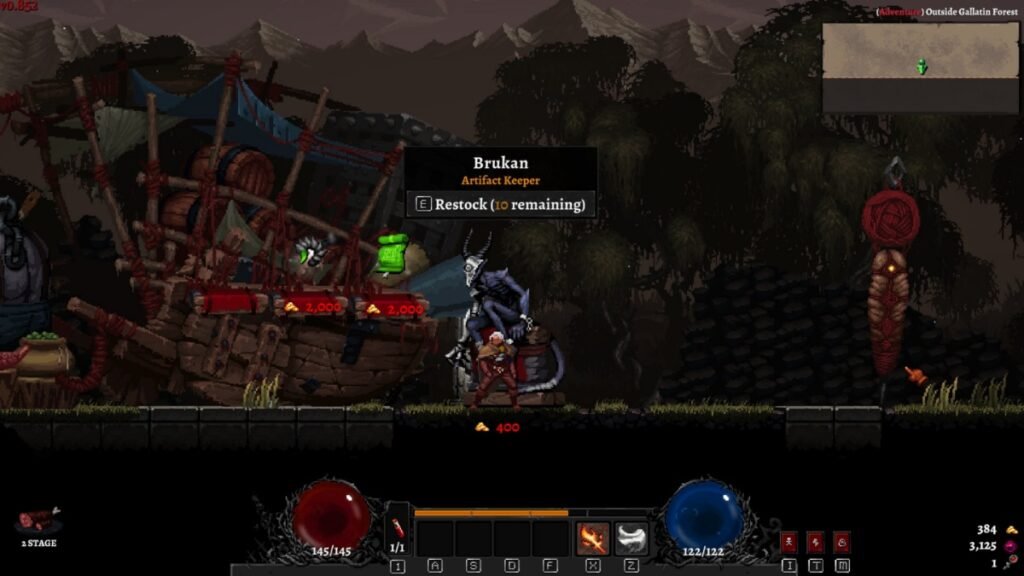
    Brukan Artifact Keeper in Dragon Is Dead

    Artifacts are usually obtained upon completing an Area in Dragon Is Dead. However, these Artifacts are lost when you die. This means, if you managed to get a build ready, you won’t be able to use it effectively in your next run unless you get the same Artifact.

    A second way of getting Artifacts is from Brukan, the Artifact Keeper. You can find this creature in the rest areas between the hostile levels in Dragon Is Dead.

    You can purchase an Artifact for 2000 Gold, depending on how you want to proceed with your run. If you want, you can reroll the Artifacts on display for 400 Gold until you get the one you like. However, you can do this a maximum of 10 times.

    Dragon Is Dead Steam
    Previous ArticleHow To Defeat Tree Spirit Longmore In Dragon Is Dead
    Next Article How To Change Weapon And Equipment In Dragon Is Dead
    Rishov Mukherjee
    • LinkedIn

    Rishov is a Guides writer with over three and a half years of experience at Sportskeeda, Dexerto, and TheGamer. He has a Masters in Physics from St. Xavier's College and wishes to complete his PhD in the future. When not writing, you can find him building characters in Honkai Star Rail or completing yet another run of Elden Ring and Dark Souls 3.

    Related Posts

    When Is the Next Major Steam Sale Coming?

    April 30, 2026

    How to Beat Thomas Richards In Windrose

    April 30, 2026

    How to Make Planks in Medieval Dynasty

    April 30, 2026
    Leave A Reply Cancel Reply

    Top Posts

    Microsoft and Xbox Error Lands Gamers a Classic RPG for Free

    April 30, 2026

    When Is the Next Major Steam Sale Coming?

    April 30, 2026

    How to Beat Thomas Richards In Windrose

    April 30, 2026

    How to Make Planks in Medieval Dynasty

    April 30, 2026

    Fable 4 Release Date, News and What to Expect

    April 29, 2026

    Diablo 4 Lord of Hatred New Classes Explored

    April 29, 2026

    Final Fantasy XIV Online Evercold Expansion Announced Alongside Switch 2 Release Date

    April 28, 2026
    Don't Miss
    News April 30, 2026

    Microsoft and Xbox Error Lands Gamers a Classic RPG for Free

    Microsoft and Xbox stores have been known to make the occasional mistake and accidentally give…

    When Is the Next Major Steam Sale Coming?

    How to Beat Thomas Richards In Windrose

    How to Make Planks in Medieval Dynasty

    Fable 4 Release Date, News and What to Expect

    Diablo 4 Lord of Hatred New Classes Explored

    Final Fantasy XIV Online Evercold Expansion Announced Alongside Switch 2 Release Date

    About Us
    About Us

    Your source for everything in the world of gaming.

    We are a team of passionate gamers, always working keeping you, the gamer, as the centre of our universe

    Reach out to us at contactus@epicrpgtales.com

    Our Picks

    The Hundred Line Last Defense Academy: Celebrated 2025 RPG Unlikely to Get PS5 or Xbox Ports

    Shrouded Aspect: Celtic Mythology-Inspired RPG Announced For 2025 PC Release

    Trails in the Sky 1st Chapter Opening Scene Trailer Sets the Mood for RPG Reimagining

    Most Popular

    The Elder Scrolls IV Oblivion Remastered Officially Being Announced Tomorrow

    April 21, 2025

    Fantasy Life i Chef Life Video Cooks Up Fresh Gameplay of Slow Life RPG

    April 22, 2025

    Capcom Fighting Collection 2 Gets A Confirmed Release Date

    February 5, 2025
    © 2026 EpicRPGTales
    • Home
    • Privacy Policy
    • Our Authors
    • Reviews Policy

    Type above and press Enter to search. Press Esc to cancel.